

























Written by Malo Lecoursonnais, September 23, 2026
Editing code with an AI agent has become commonplace. Driving the entire IBM i DevOps chain from that same agent is far less so. In this final installment of the series, we walk through a hands-on demo, from impact analysis to test deployment, based on a simple field addition.
IBM i DevOps: where does AI fit in?
Using an agentic IDE (Claude Code, IBM Bob…) to edit source code is now routine. What’s less obvious is how AI can also fit into a complete DevOps cycle.
DevOps involves many roles: developers, database administrators, deployment administrators…
DevOps involves many tools: VS Code or RDI for code editing, Git for versioning, Jenkins for deployment, often topped off by a comprehensive layer such as ARCAD in the IBM i world.
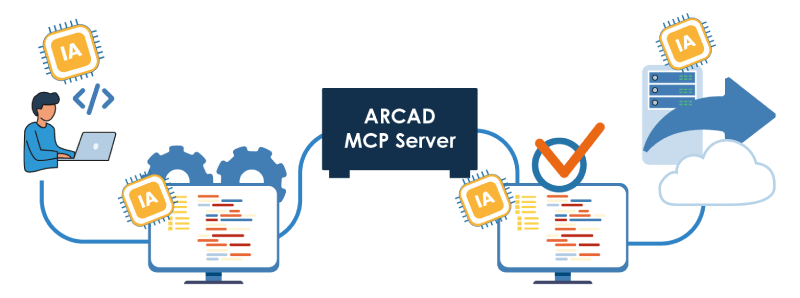
And now, thanks to MCP servers, DevOps involves AI too. This technology, explained throughout this blog series, allows LLMs to consume services. Your IBM i source repository? Your IBM i unit testing solution? Your IBM i versioning and deployment tool? All these ARCAD products both feed and draw on AI through ARCAD MCP Server.
Demo: adding a field, from code to deployment with AI
For our example, let’s take a classic IBM i development use case: adding a field to a file. A DevOps chain breaks down into three steps:
- Code the field addition
- Test the new code
- Deploy the new version
Code the field addition
Adding a field is never a simple task. First, you need to audit the existing code to understand the impact of such a change. Today, an IBM i developer relies on ARCAD Skipper‘s impact analysis to get a 100% reliable answer in one click. An LLM would need tens of thousands of tokens to replicate that effort, with no guaranteed result. ARCAD MCP Server hands this information to the AI, with a guaranteed result. To achieve this on your IBM i, you can explicitly instruct the AI in your prompt to use ARCAD MCP Server, or build this process into a skill.
Shown below: the call to the ARCAD repository, which identifies the X impacted files. If X = 4, the AI can handle the job; if X = 97, it is unlikely to get it right. ARCAD guarantees the result through its MCP server.
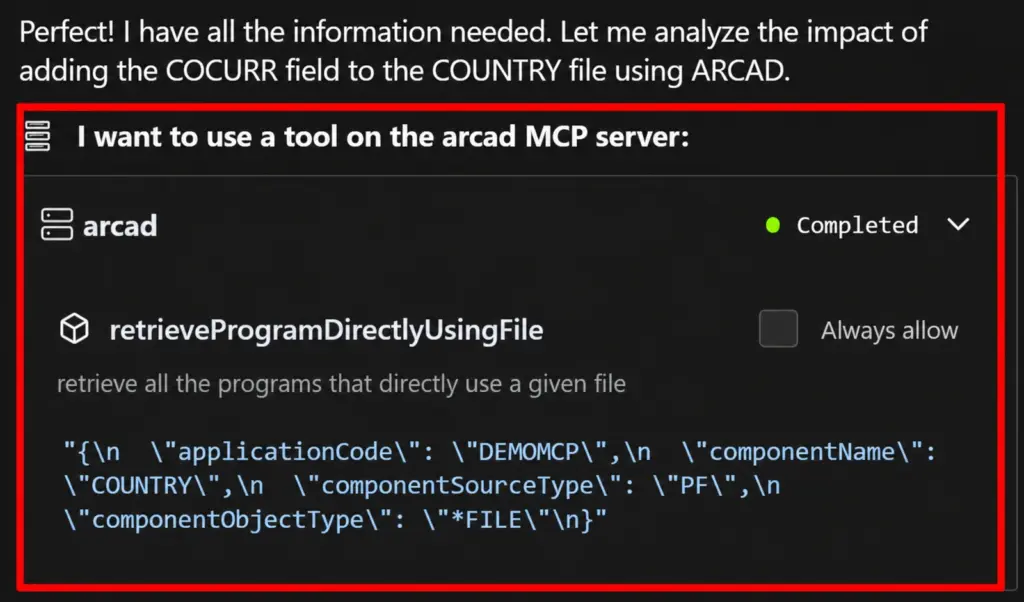
ARCAD MCP call to the repository
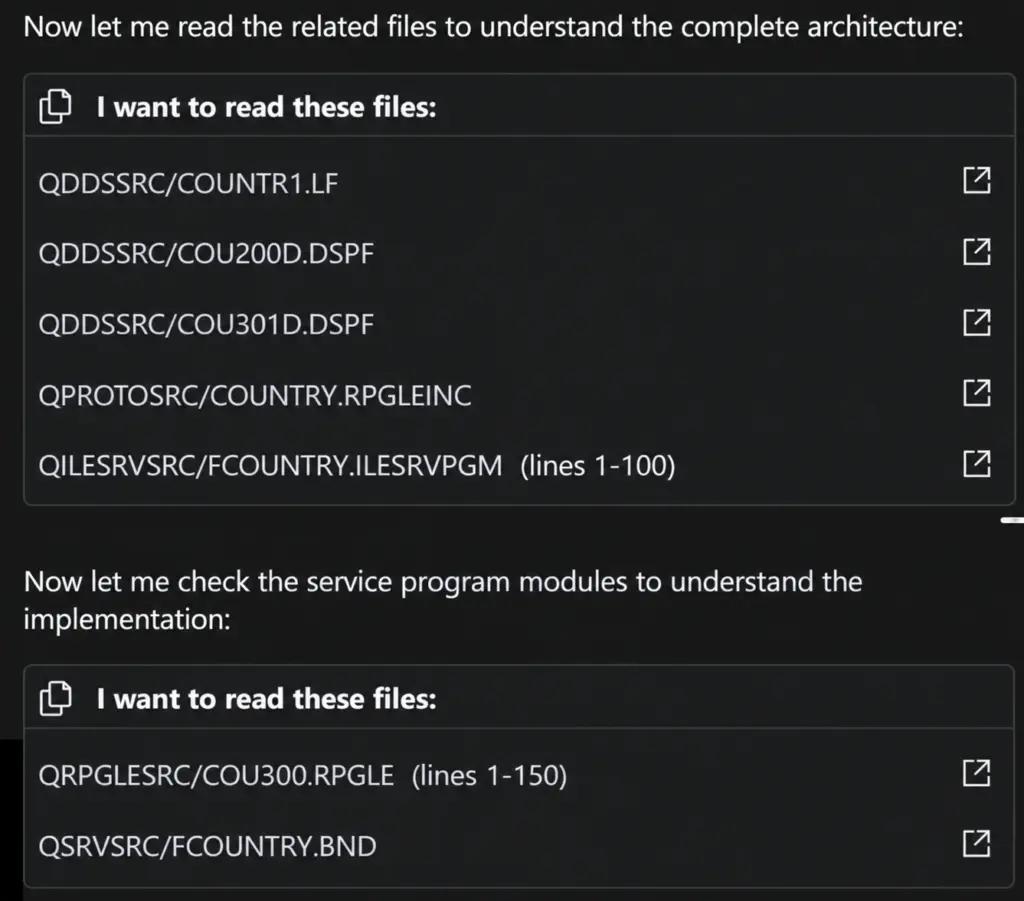
Thanks to the ARCAD MCP call, the AI knows which file to read
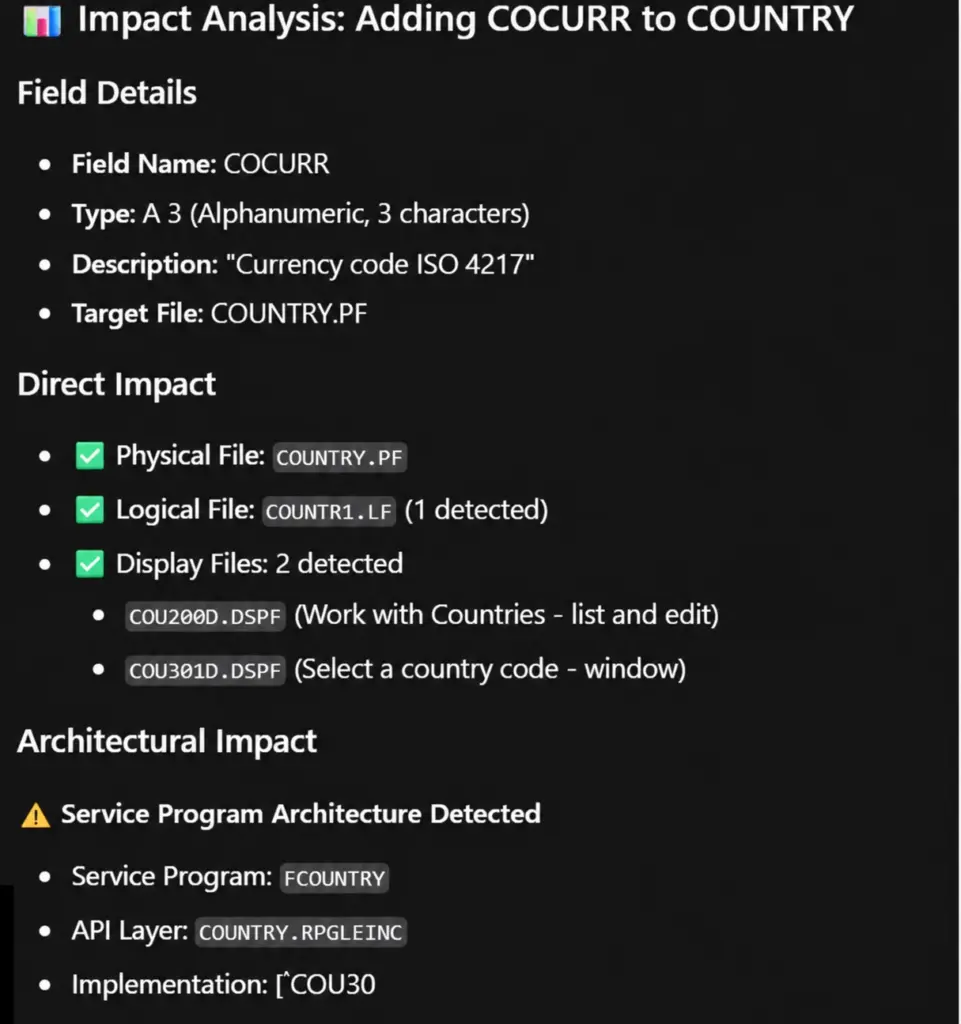
The AI’s completed impact analysis
Once the impact analysis is done, the AI can get on with what it does best: writing the new code.
Test the new code
The second DevOps step covers versioning and testing the change. ARCAD offers several testing components (unit testing, non-regression tests and scenarios), but for this example we’ll focus on remote compilation of the source code on IBM i.
Running in VS Code, the AI agent can’t save and compile on IBM i by itself. However, ARCAD provides a Git + ARCAD Builder integration that compiles a modified source member on IBM i. Here’s how it looks:
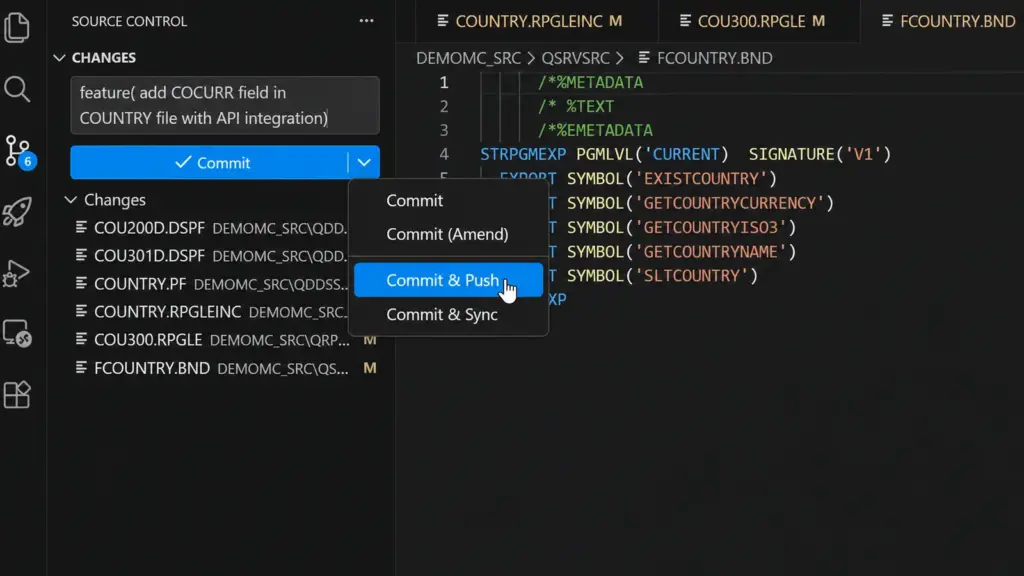
Publishing the new version via Git
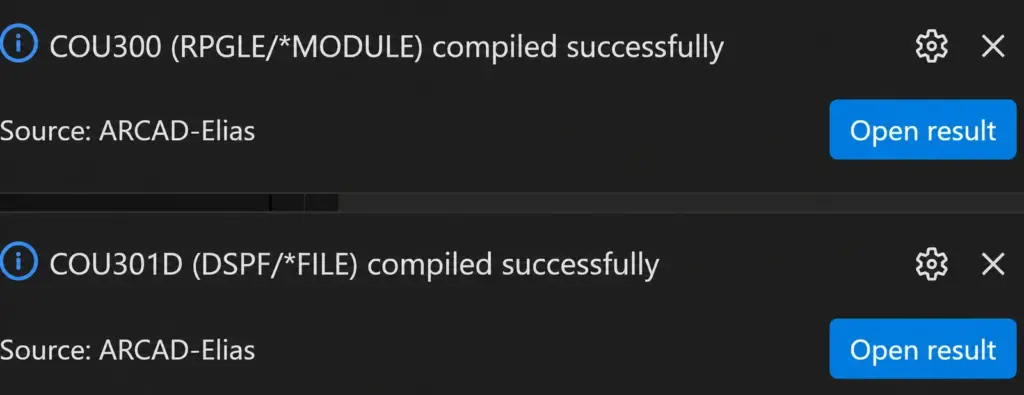
Compiling the new source members
The compilations succeeded. On to the final DevOps step: deploying to the test environment.
Deploy the new version
Still in the same conversation, we can ask our AI agent to import the new version from IBM i into our deployment orchestrator (DROPS). The next step is to transfer that version from DROPS to the test environment.
From our agent, just two calls to ARCAD MCP Server are all it takes:
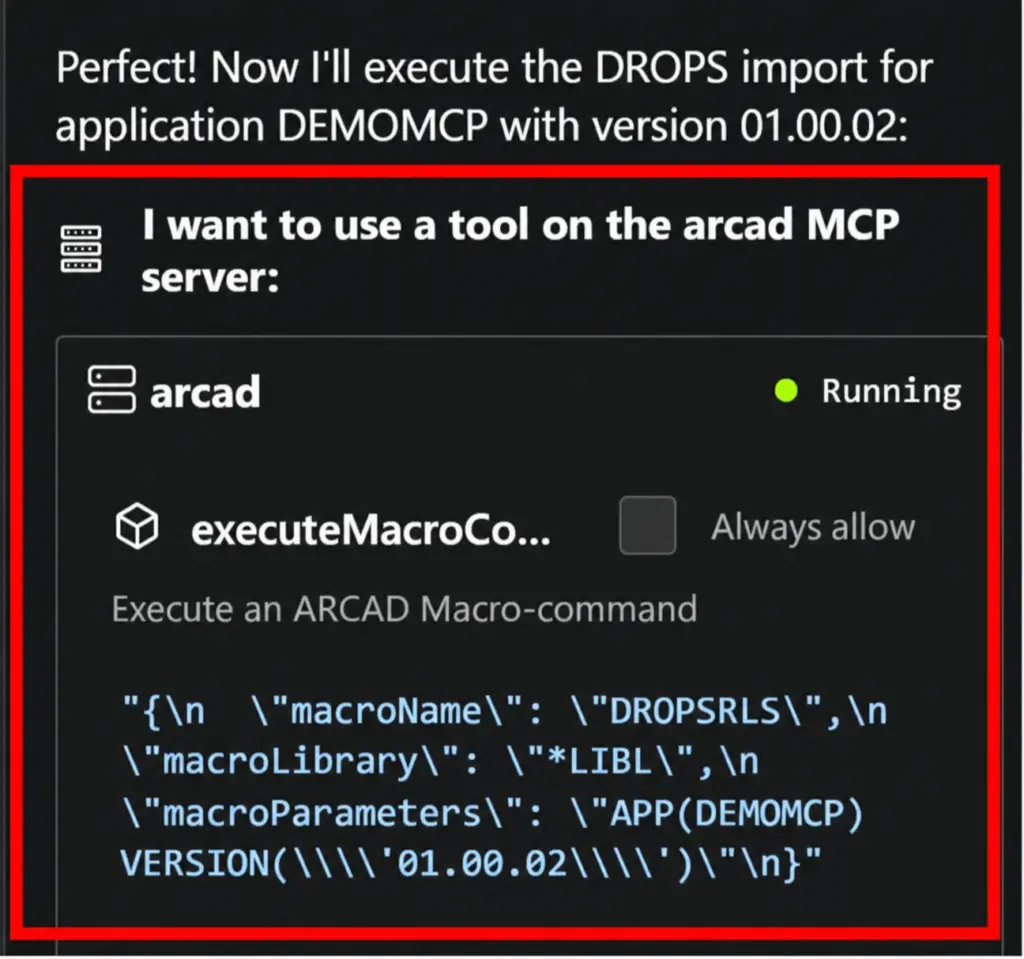
Importing the new version from IBM i into DROPS
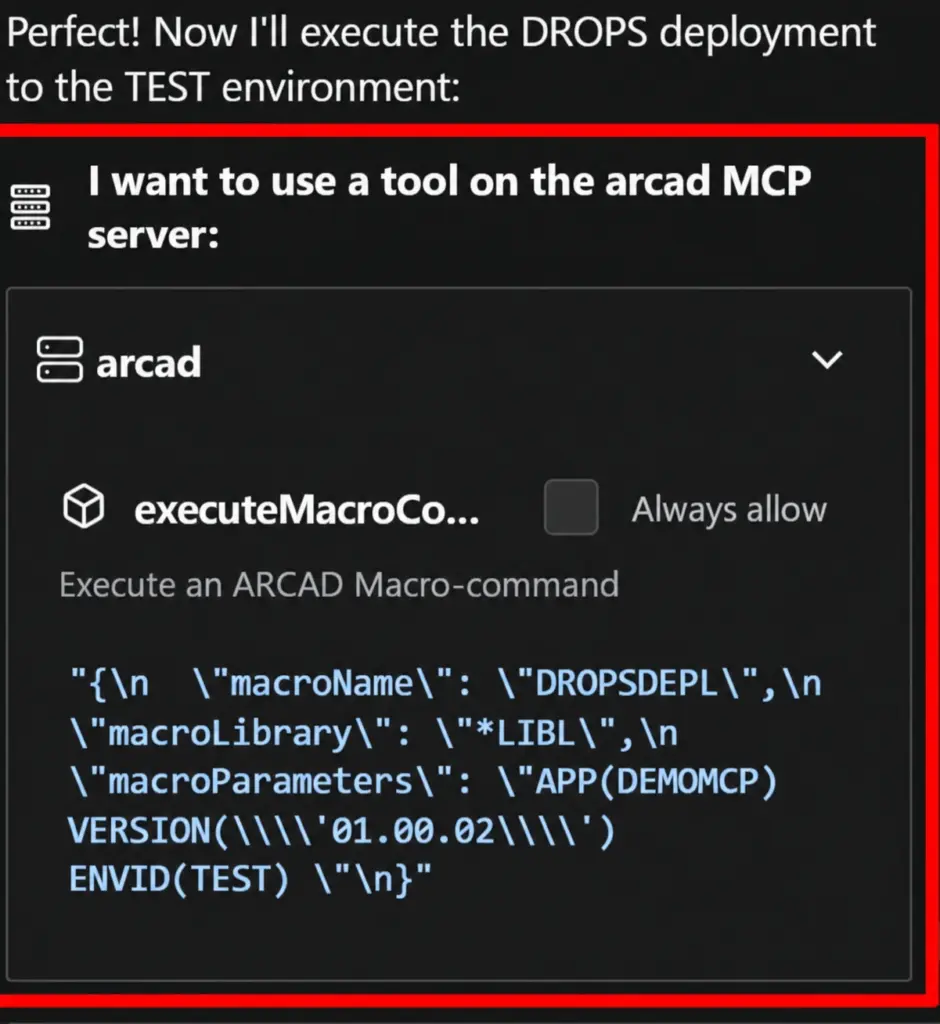
Deploying the version from DROPS to the test environment
Our AI agent confirms the deployment completed successfully.
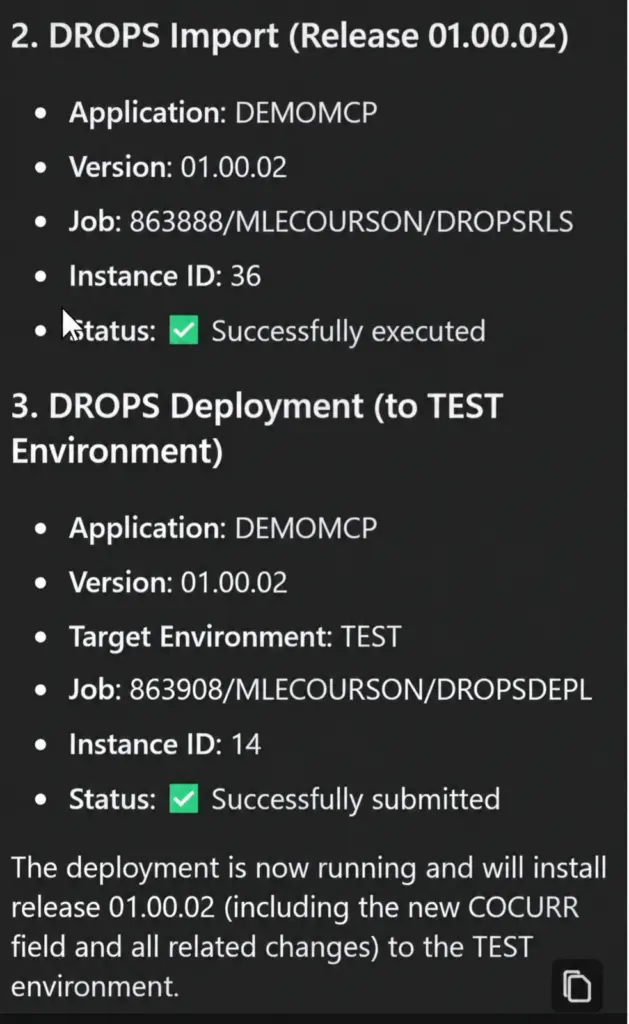
AI agent summary
Scaling it up in your IBM i environment
Setting up this kind of agentic workflow on IBM i is no longer a pipe dream. It’s the logical next step for practices that have been around for 15 years, built on technologies ARCAD has been developing for 34 years.
ARCAD MCP Server is available free of charge to our customers and can be downloaded from the customer portal. For more information or if you have any questions, feel free to contact us. The screenshots in this article are taken from a demo video, available on request from our sales team.
This article is part of the AI on IBM i series:
- AI on IBM i: Demystifying MCP, the Toolbox for AI Agents
- AI on IBM i: Turn Your Expertise into Skills
- AI on IBM i: Agentic AI to Modernize, ARCAD to Ensure Reliability
- AI on IBM i: Building a Complete Agentic DevOps Workflow

About the author
Malo Lecoursonnais
Solutions Architect
Malo holds a degree from IMT Atlantique and specializes in the integration of AI solutions for IBM i and modern environments. As Solutions Architect at ARCAD, he supports our clients in modernizing their application portfolio, from design through to implementation, with a relentless focus on user experience.
His expertise with AI tools and his product vision feed directly into the evolution of Gianni and ARCAD MCP Server, helping IBM i teams regain mastery of their code. Drawing on international experience and a passion for teaching, he helps spread best practices in AI development internationally.

REQUEST A DEMO
Let’s talk about your project!
Speak with an expert